scenarioBasicOrbitStream#
Overview#
This script duplicates the basic orbit simulation in the scenario scenarioBasicOrbit.
The difference is that this version allows for the Xmera simulation data to be live streamed to the
Vizard visualization program.
The script is found in the folder xmera/examples and executed by using:
python3 scenarioBasicOrbitStream.py
To enable live data streaming, the enableUnityVisualization() method is provided with liveStream
argument using:
vizSupport.enableUnityVisualization(scSim, simTaskName, scObject
                                    , liveStream=True)
When starting Xmera simulation it prints now to the terminal that it is trying to connect to Vizard:
Waiting for Vizard at tcp://localhost:5556
Copy tcp://localhost:5556 and open the Vizard application. Enter this address in the connection field and select
“Direct Communication” mode as well as “Live Streaming”. After this the Xmera simulation resumes and
will live stream the data to Vizard.
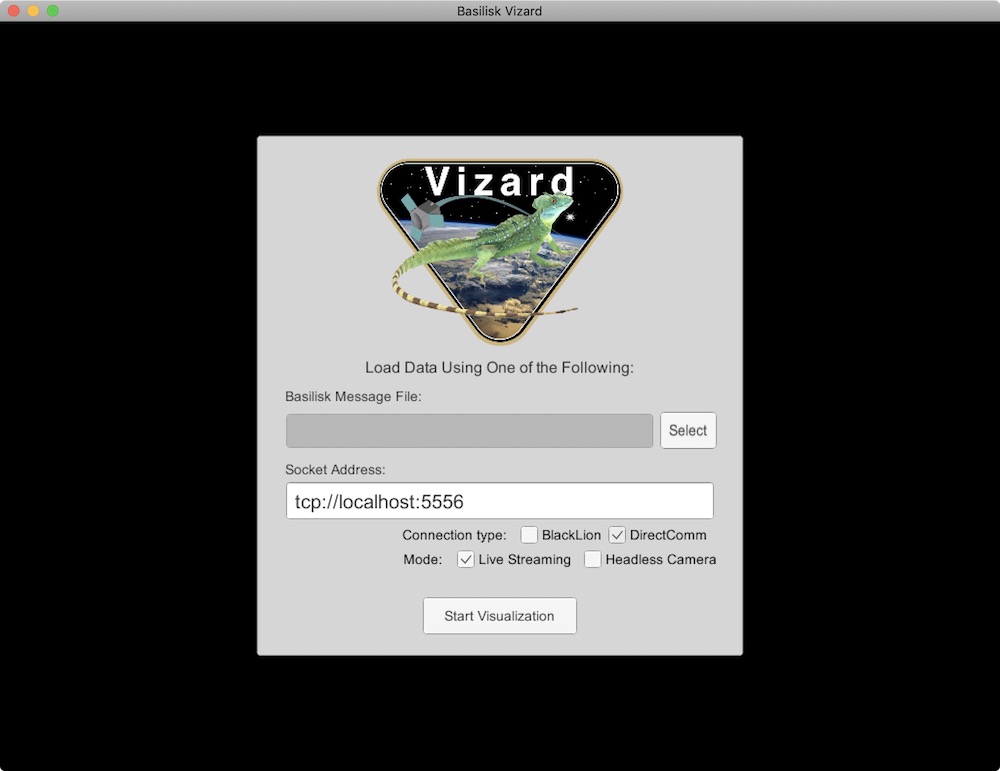
Vizard Direct Communication Panel Illustration#
To avoid the simulation running too quickly, this tutorial example script includes the clock_sync module that
enables a 50x realtime mode using:
clockSync = clock_synch.ClockSynch()
clockSync.accelFactor = 50.0
scSim.AddModelToTask(simTaskName, clockSync)
This way a 10s simulation time step will take 0.2 seconds with the 50x speed up factor.